01
Receive the packing list
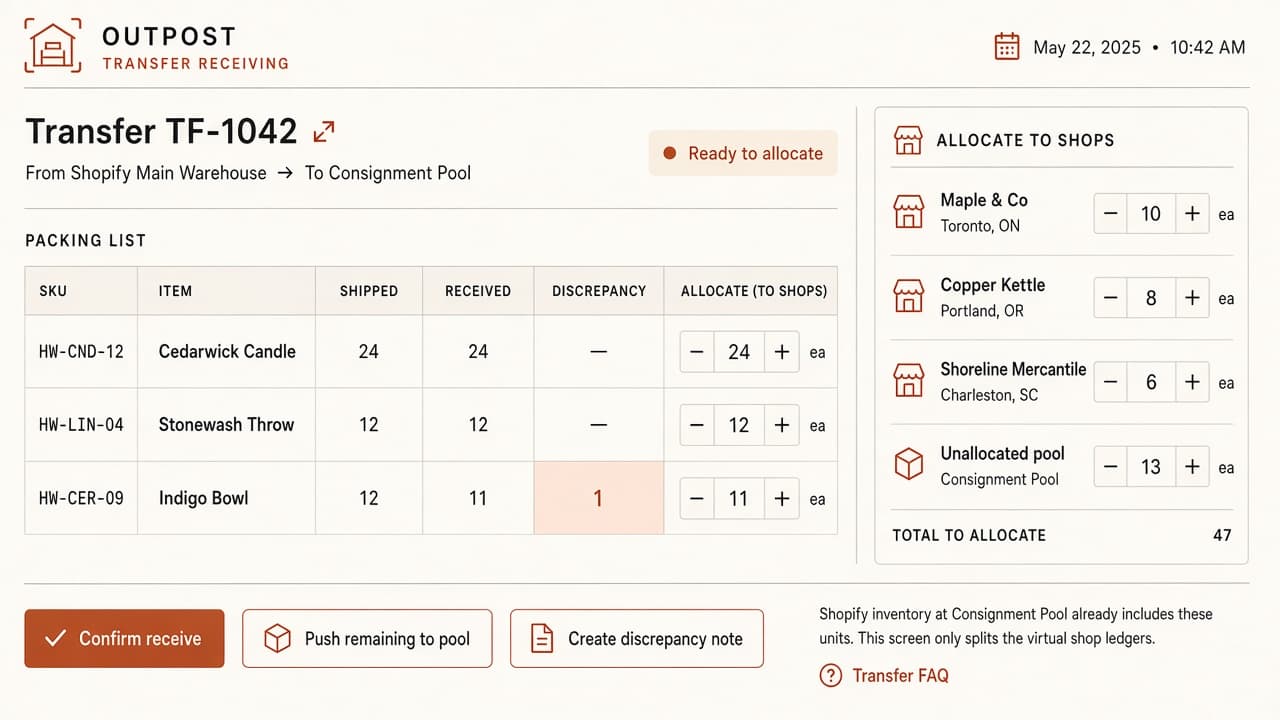
A warehouse transfer still starts as a packing list. Confirming receive in Outpost stages those units as unallocated. Shopify does not move yet — the stock is not on a shop floor.
Bunnasia · Bunnasia · sales invoices → Shopify orders
The idea
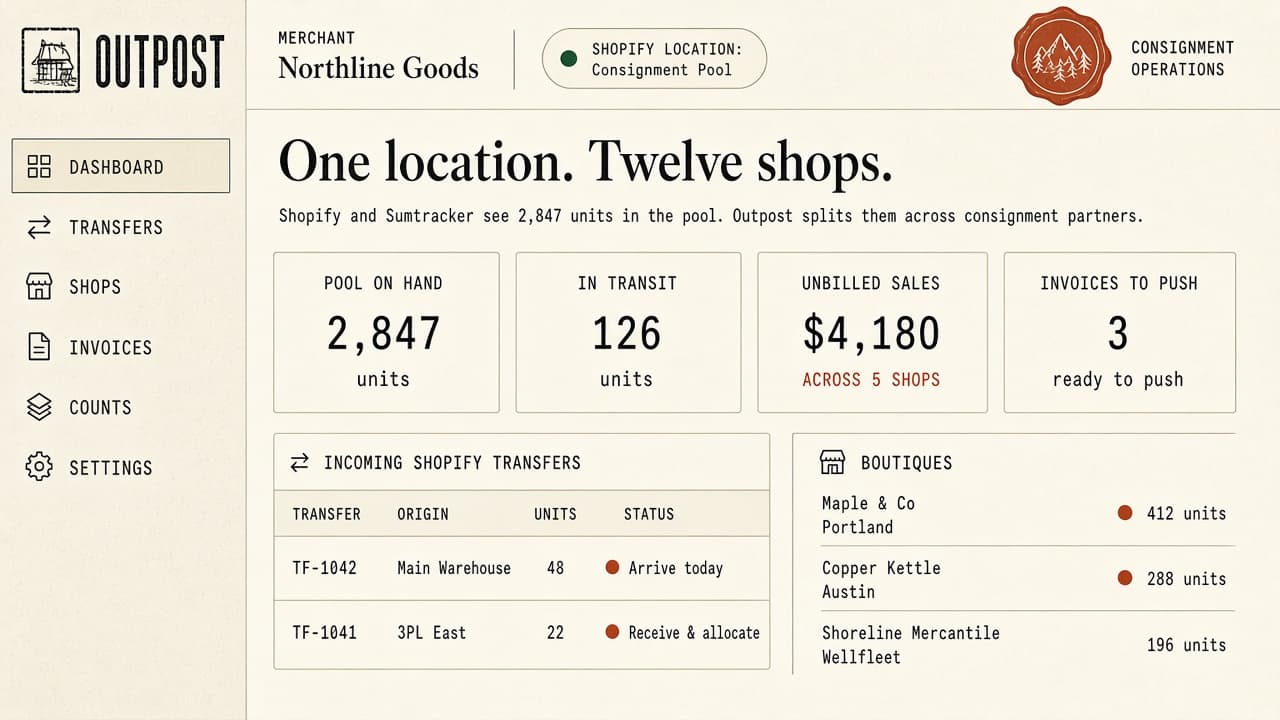
Keep real warehouses in Shopify. Use one consignment group warehouse for every boutique floor. Outpost is where you allocate products to a shop — and a sales invoice is how sold units become a Shopify order that pulls that pool.
01
A warehouse transfer still starts as a packing list. Confirming receive in Outpost stages those units as unallocated. Shopify does not move yet — the stock is not on a shop floor.
02
Sending 10 units to Example Shop is not a label on stock already in Shopify. It puts those units on that shop’s ledger and writes +10 into the one consignment group warehouse. A second boutique is the same warehouse, a different shop ledger.
03
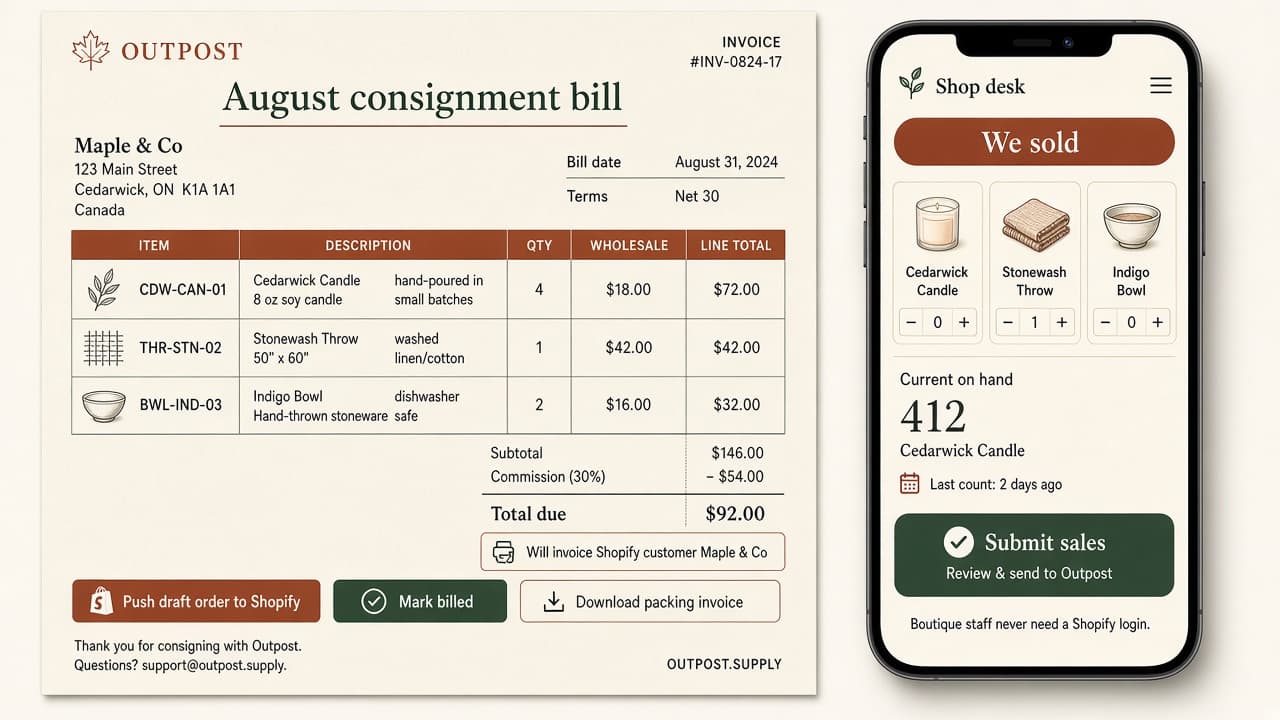
The consignment person fills an order-style invoice. Units leave that shop’s ledger. Outpost creates a Shopify order for the boutique as the customer, and Shopify pulls inventory from the pooled warehouse.
04
Enter what is still on the floor. Remaining gaps become a wholesale draft order. Mark lost or damaged units as write-offs — charge them or eat the cost. The write-off stays on the record either way.
The Shopify warehouse number is shop-floor stock. Unallocated is Outpost staging.
Shopify
Consignment warehouse
Units already allocated to boutique floors. One location for every consignment shop. Warehouses stay as real locations for 3PL, FBA, and your own bins.
Outpost
Every shop floor
Allocate to a shop: warehouse goes up. A sales invoice creates a Shopify order and the warehouse goes down. Return leftover stock: warehouse goes down. Unallocated units never appear in that number.
Packing-slip board, transfer allocate, and the invoice plus shop-visit pair. The live app follows the same model.